Silcherweg Invoices
the construction software from our own house build
Attention: This page contains partner and advertising links. Therefore this page is to be understood entirety as an advertisement!
We are not building our house alone. We are building it together with two other families: three houses, one construction site, a shared basement, lots of shared trades. What sounds like a nice community project is, in practice, mostly one thing: an endless stream of invoices that somehow have to be split fairly across all three parties. Excavation, shell construction, roof, windows, screed, electrics, heat pump. Every week something new drops into the inbox.
At first we solved this with a spreadsheet. Very briefly. Because a spreadsheet answers none of the questions that actually matter in the daily reality of a build: Who has already paid this invoice? Who still owes whom? Isn't the early-payment discount deadline for the screed invoice about to expire? So I did what a software developer does when a problem annoys them long enough: I built my own tool. By now it has grown into a surprisingly mature little application, and that is exactly what I want to show you here.
In a building group almost nothing is cleanly separated. The excavator digging the pit works for all three houses at once. The shell builder issues one progress invoice for the entire structure, not three separate ones. And the basement, which two parties split differently than the ground floor, has its own distribution key again. In the end it always comes down to the same question: this one invoice for 48,900 euros, how exactly is it split across house A, house B and house C, and who transfers what to whom?
Then there is the human factor. Nobody enjoys chasing money over the phone. Yet every cent has to add up in the end, otherwise you get exactly the arguments you least want in a building group that runs for years. What I was missing was one place where every invoice is split fairly and automatically, where everyone sees what they still owe, and where no discount deadline ever slips through again.
The result is a web app that we simply call "Silcherweg Invoices" internally, named after our street. Technically it is a modern single-page application built on React and Supabase that works just as well on a phone as on a laptop, because most invoices arrive as a photo on the smartphone anyway. You don't sign in with personal accounts, but per house with a shared family password. That lowers the barrier: every family has one login, everyone sees the same state.
What started as "I just want to split invoices" has, over the months, turned into a small cockpit for the entire construction project. Below I walk through the most important areas the way they are in use today. All screenshots come from a local copy with entirely fictional but realistic sample data.
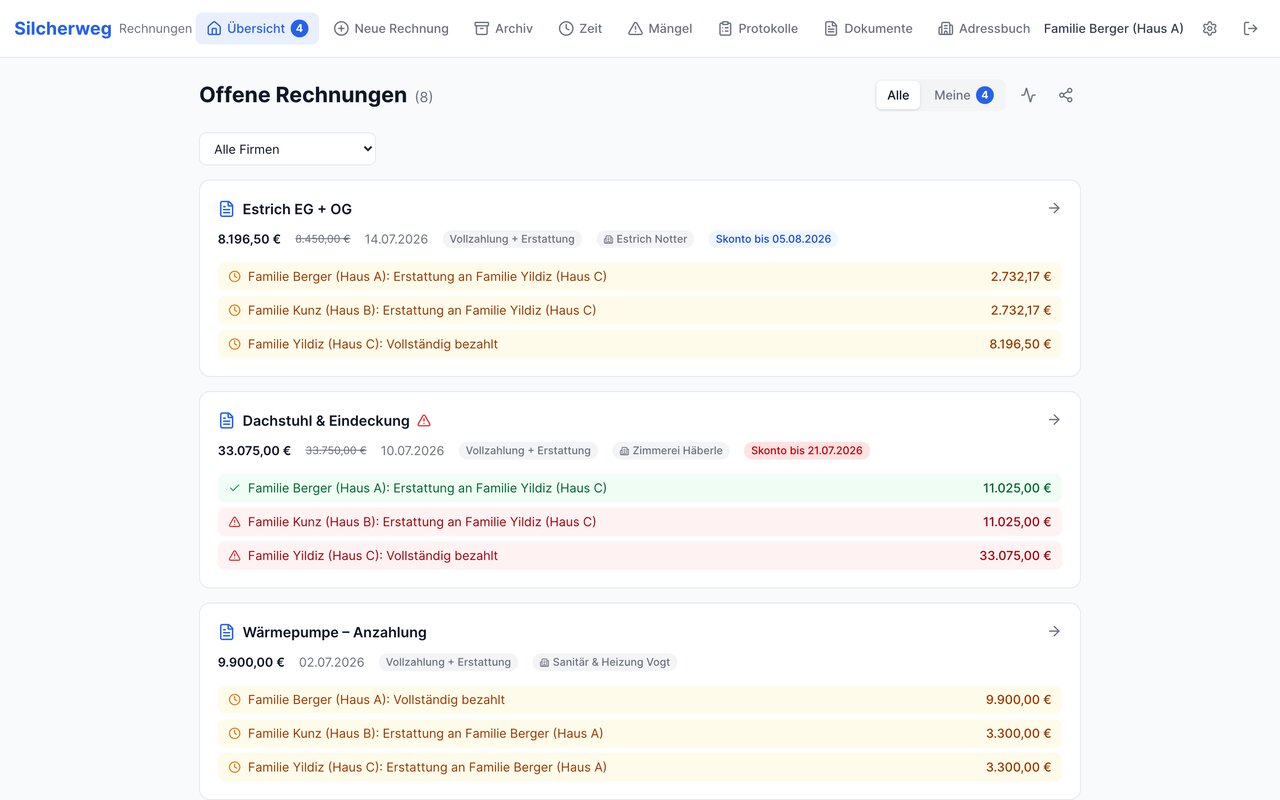
The heart of the app takes an invoice and turns it into concrete, trackable payment tasks per house. You set an amount and a distribution key, for example "Equal" (one third each) or our special "Basement" key, and the app splits the amount to the cent. Not a single cent gets lost: it calculates in whole cents, and any leftover cent is distributed fairly so the sum of the shares matches the invoice total exactly.
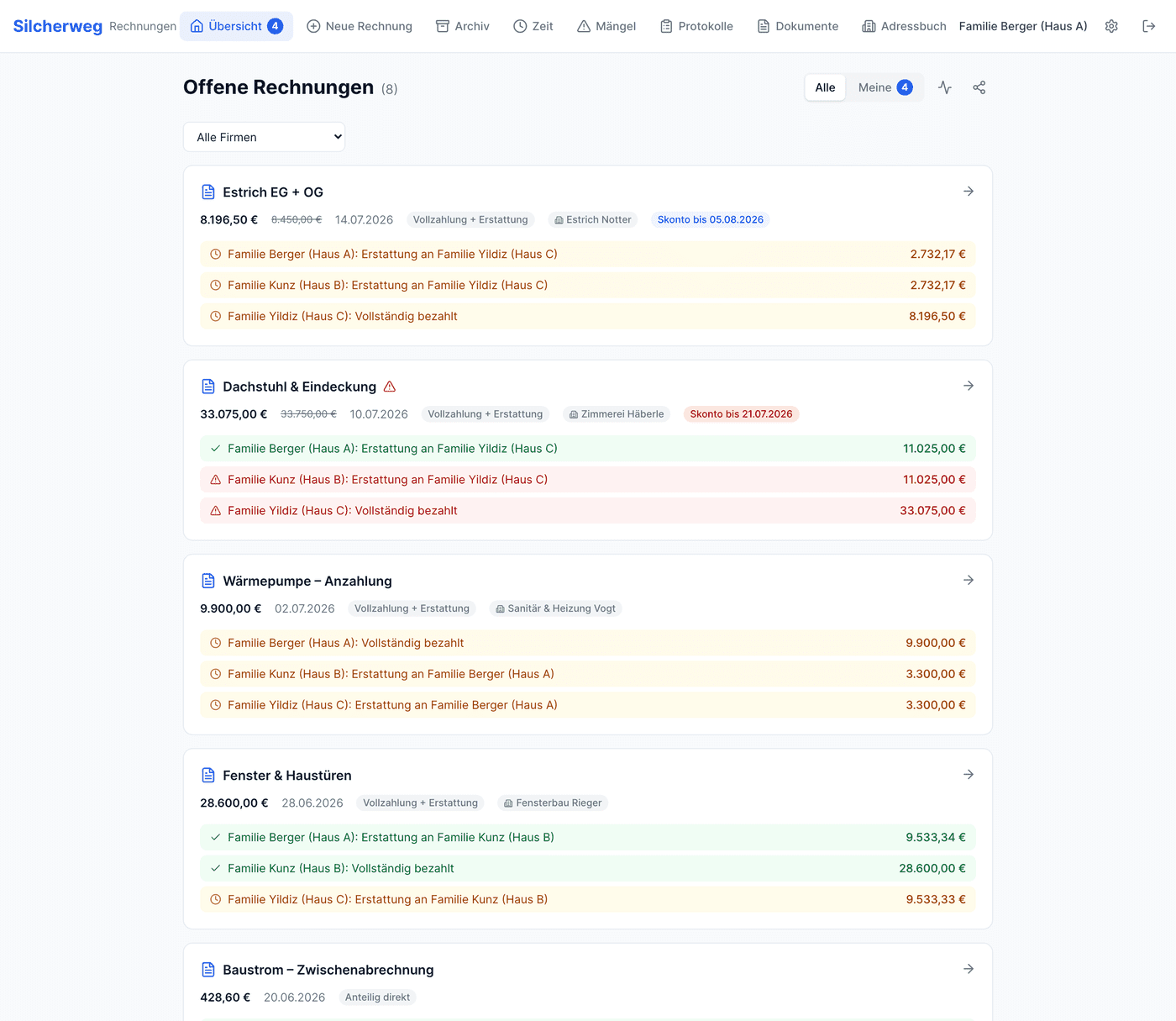
For the actual payment there are two modes, because in construction both cases occur. For larger amounts one party fronts the entire invoice and the other two reimburse their share afterwards. For small amounts each party transfers its share directly to the trade company. Every invoice thus automatically produces the matching tasks: "House C pays the full amount", "House A reimburses house C 11,025 euros" and so on. In the overview each family sees at a glance what is still open and can tick off its own payments.
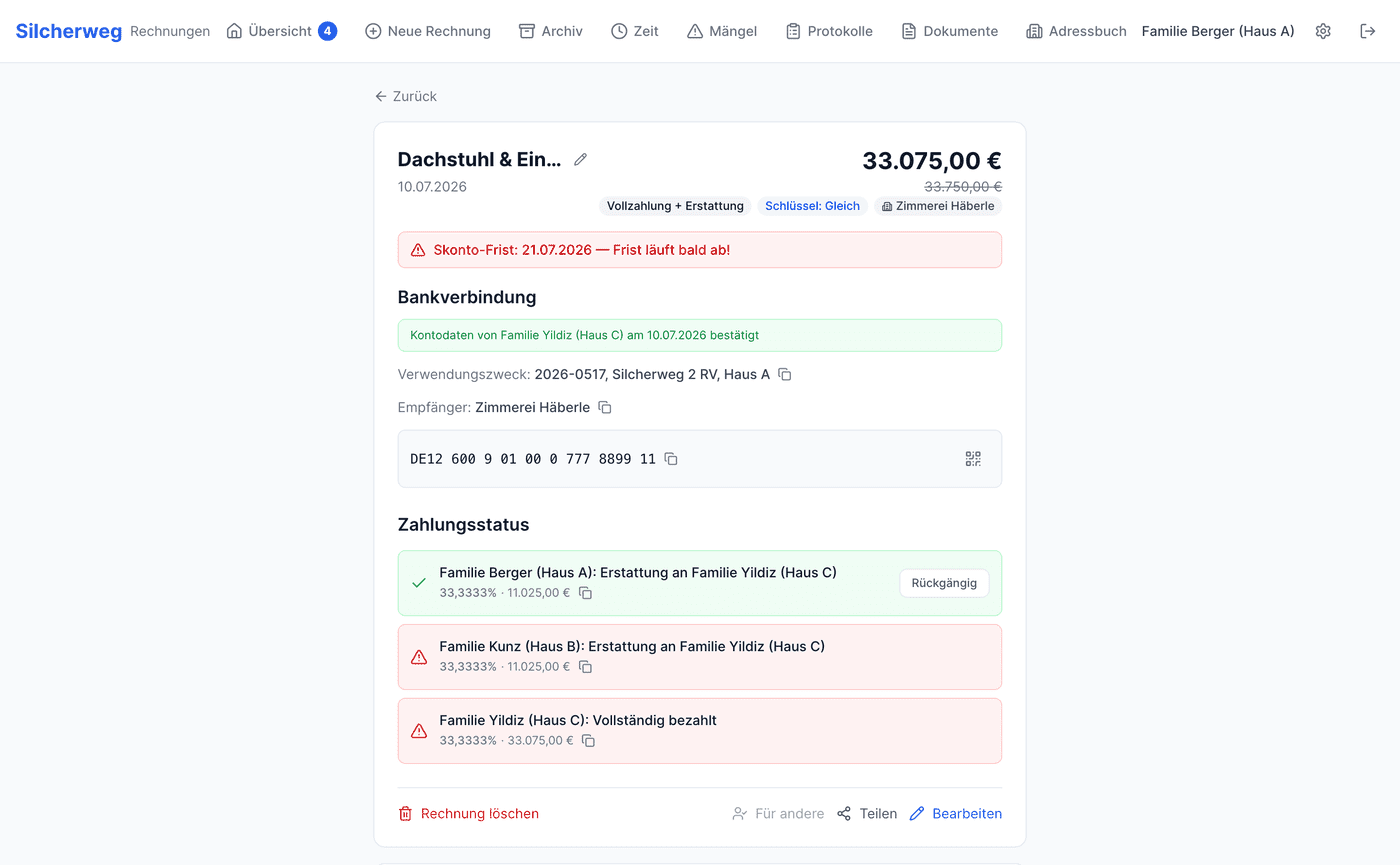
The detail view of an invoice then lists every task individually: with percentage, amount and a green check mark once it has been paid. If a discount is set, the app automatically calculates with the reduced amount and shows the original amount struck through. If the discount deadline is coming up in the next few days, there is a clearly red warning, so we never again miss out on money we were basically given for free.
The part I am almost a little proud of: you no longer have to type an invoice in by hand. Upload the PDF or photograph it directly with the built-in document scanner, and the app reads out the payment-relevant data automatically, once the classic way via text and pattern recognition, and additionally with an AI model for the tricky fields. It extracts the amount, the IBAN, the invoice number and even the discount amount and deadline. If the document only states the discount percentage, the AI calculates the amount itself. Everything lands pre-filled in the form; you only have to check it briefly.
For the transfer itself the app generates an EPC QR code for each bank account, the GiroCode you know from many paper invoices. Instead of typing the IBAN and amount into your banking app, you scan the code and your own open share is already filled in, including the payment reference. Especially on the phone this is a real time saver and rules out transposed digits in the IBAN.
As soon as you use a tool like this every day, it grows. What was pure invoice splitting has gradually become a complete toolbox for building together. Four areas have turned out to be especially useful.
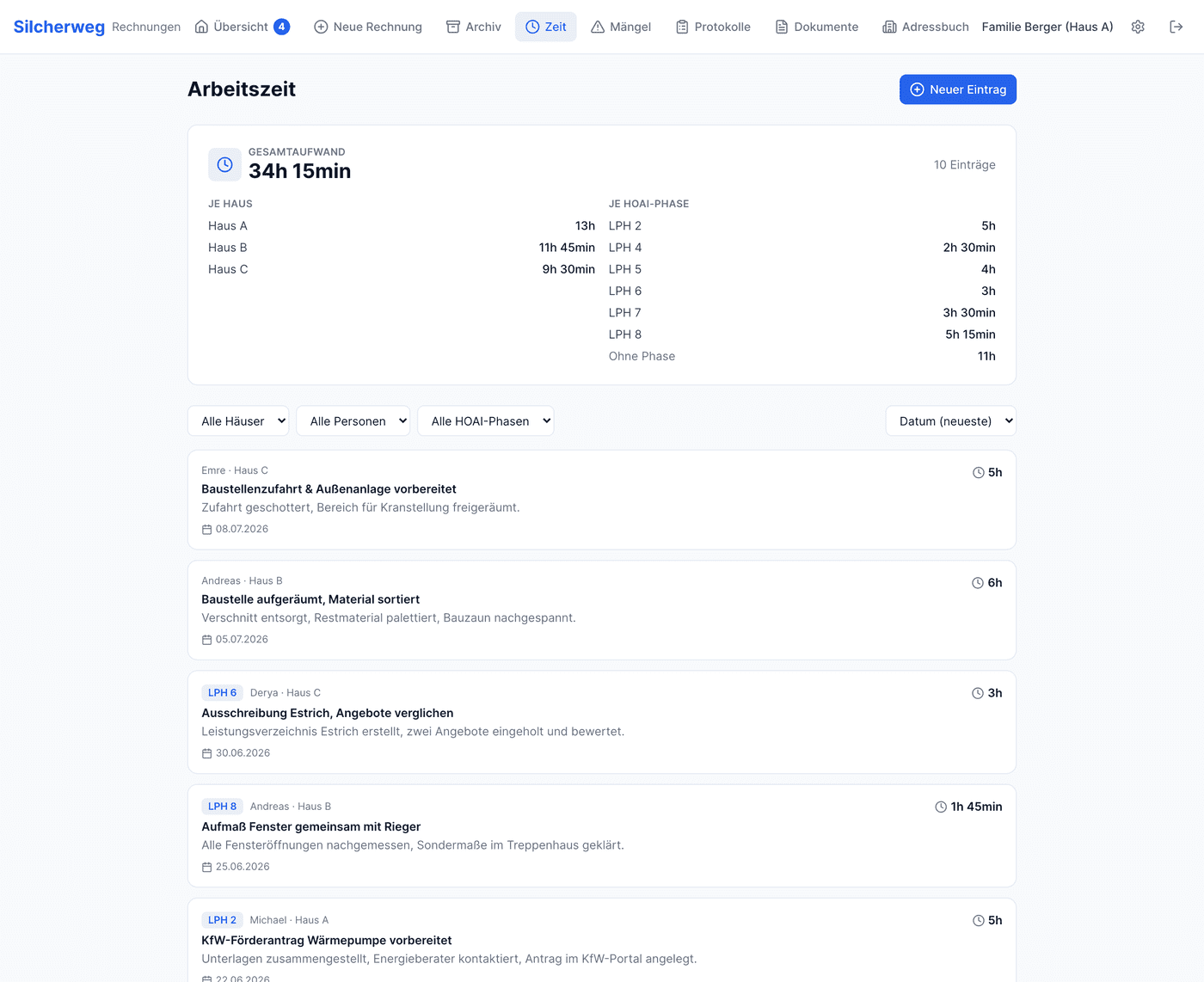
Working time & own contribution. In a building group everyone contributes a different amount: gathering quotes, product selection, site visits, funding applications. To keep that from ending in a sense of unfairness, every person can log their hours, optionally along the German HOAI service phases (LPH 1 to 9). The app automatically sums the total effort, the effort per house and per phase, as a fair basis for settling everyone's own contribution internally.
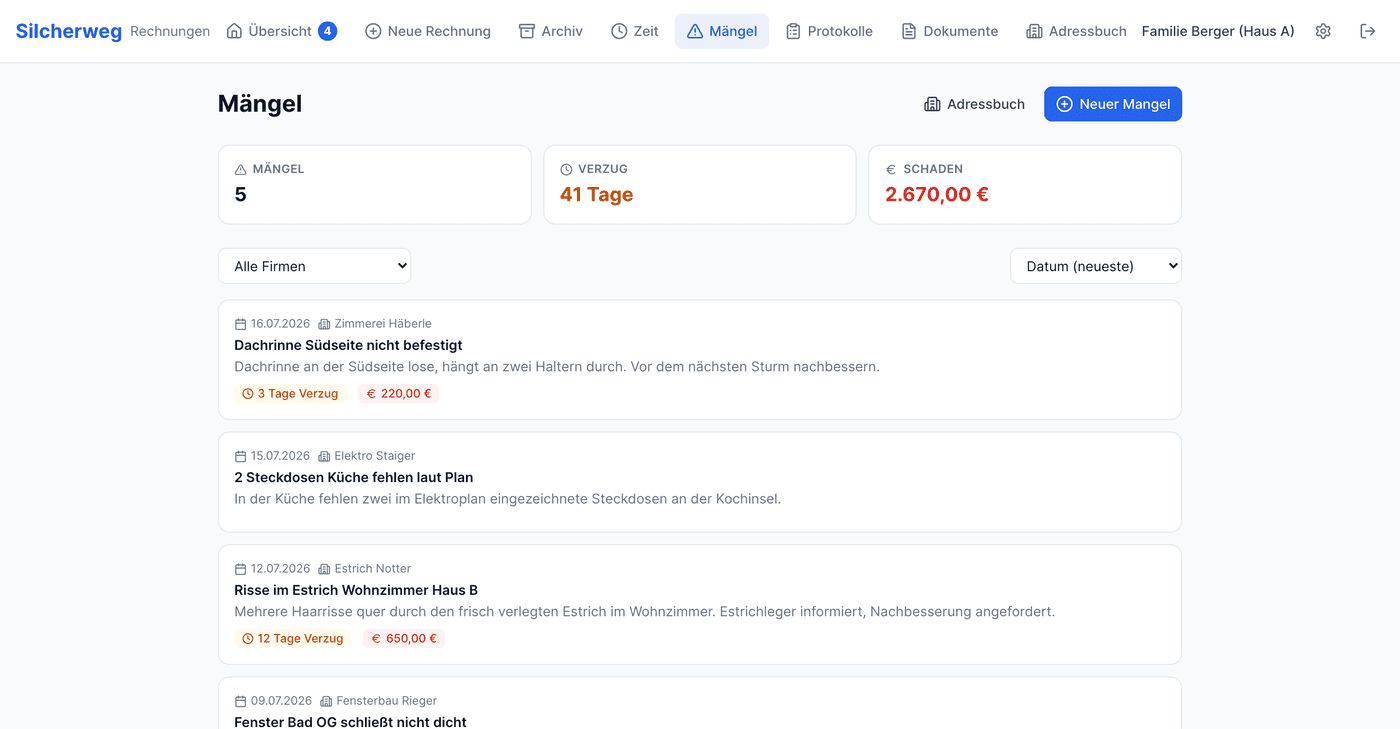
Defects & delays. Construction defects and delays are real money and a legal minefield. So you can document every defect the moment it appears: with date, responsible company, days of delay, a quantified damage figure and evidence photos. The overview sums the total delay and total damage across all defects. That is a solid basis for warranty and delay claims, instead of relying on scattered photos and memories months later.
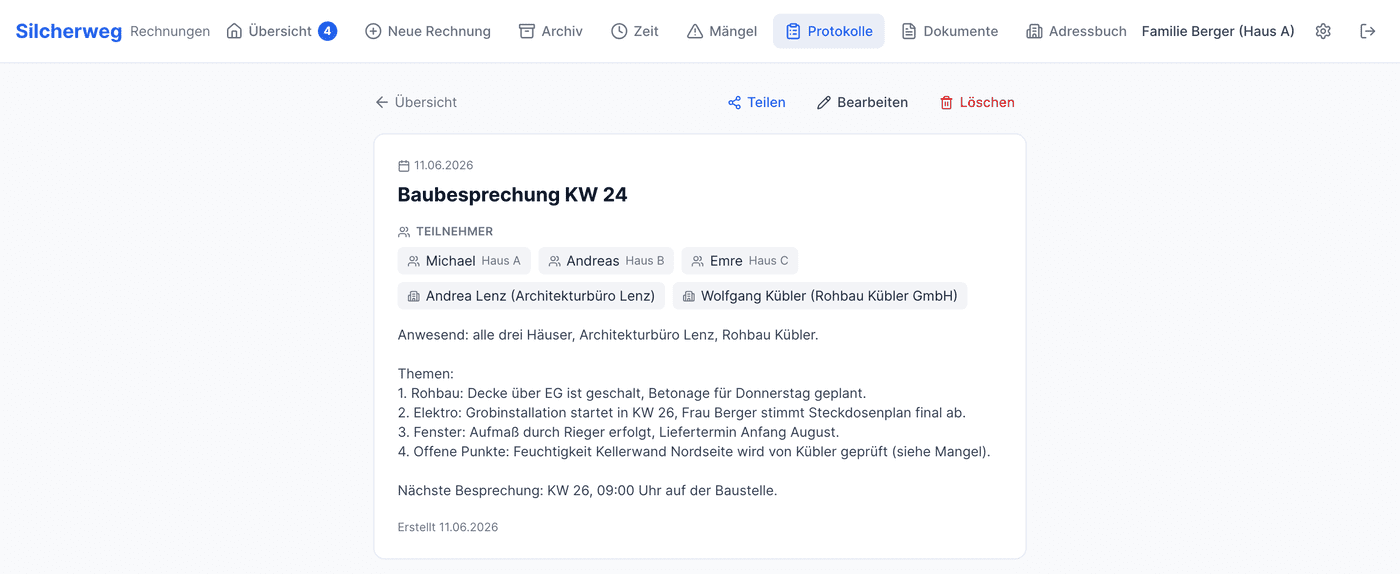
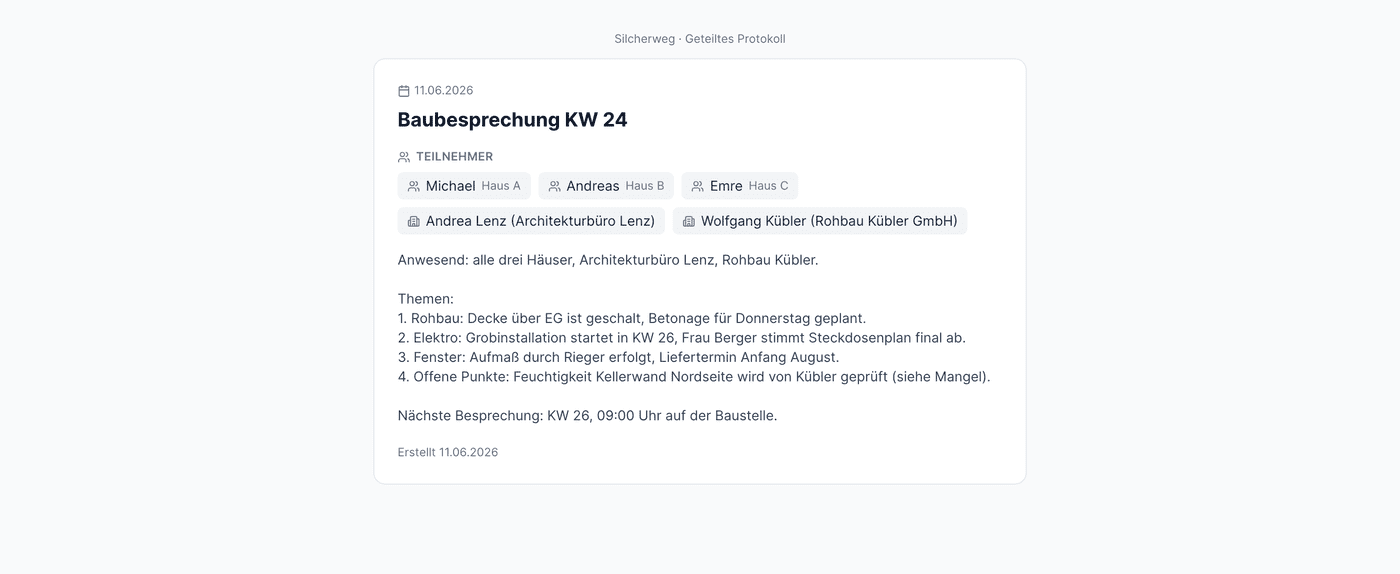
Meeting minutes. Every site meeting is captured as a protocol: with date, participants and the points discussed. What's handy is that participants can be mixed freely, our own people from all three houses as well as companies or individual contacts from the address book. And when the developer or a company should read the minutes, you simply create a public link. It works without a login, but only shows the protocol itself; our internal comments stay private.
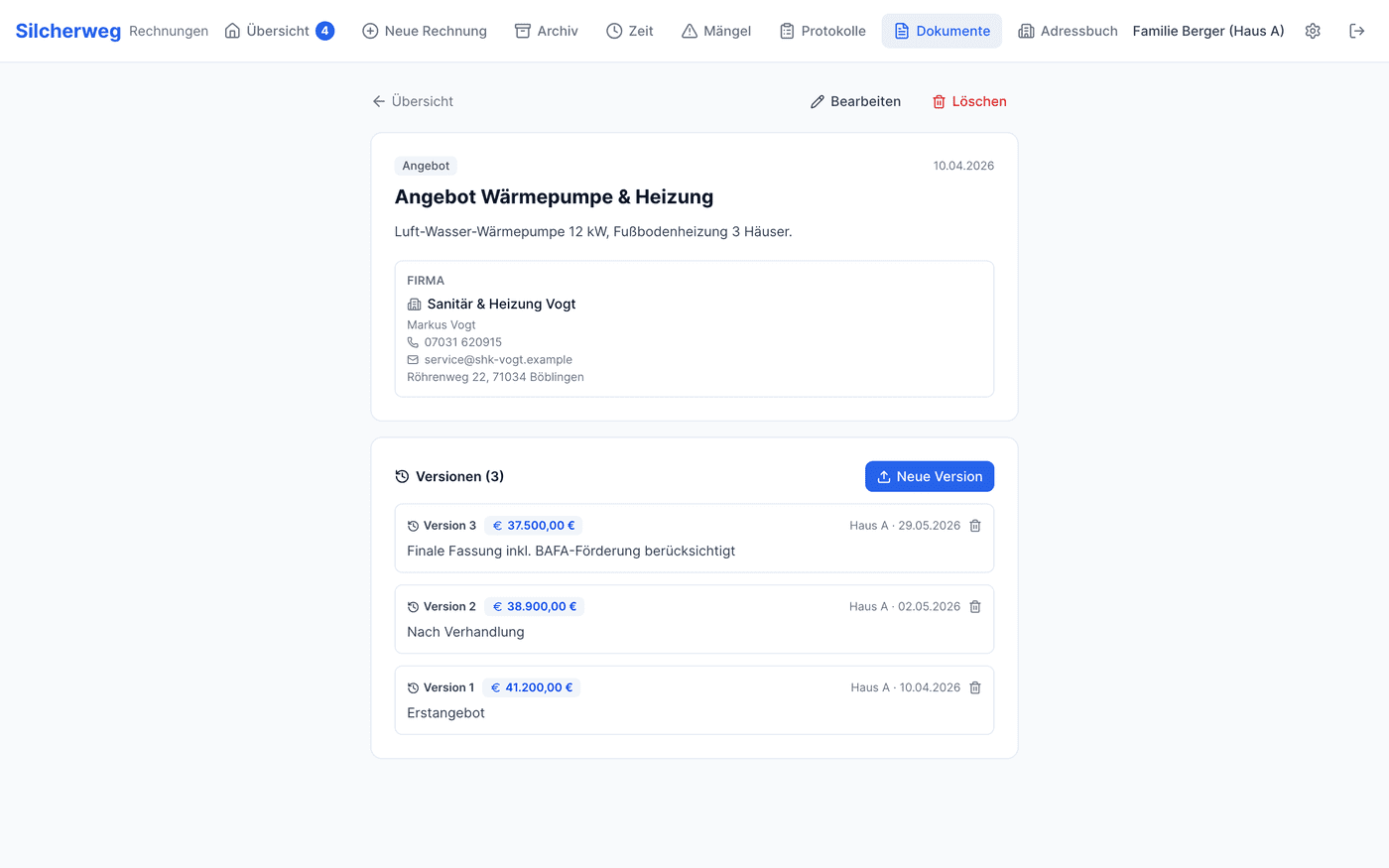
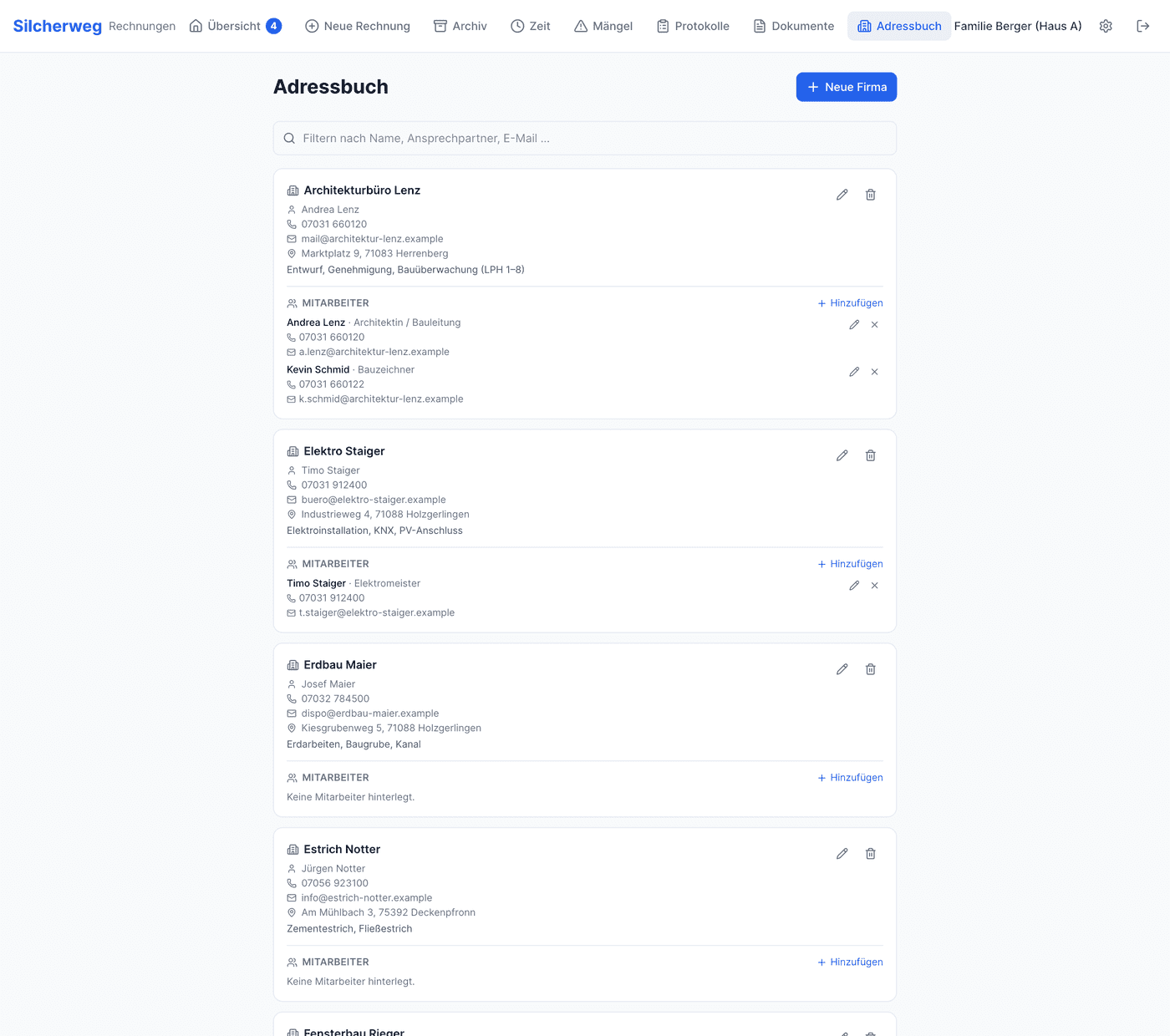
Quotes, contracts & address book. When building, you gather quotes by the dozen and renegotiate them. So you never lose track of which version is current, the app stores every quote with a version history: who offered which amount and when, including the file. The total quote sum is formed automatically from the respective current versions. On top of that there is a shared address book of all tradespeople with contacts and clickable phone and mail links, and the same company then reappears automatically on invoices, defects and protocols.
Under the hood the whole thing is deliberately kept lean: React 19 with TypeScript and Vite on the frontend, Tailwind for the design, Supabase (Postgres) as the backend. The login does not use classic user accounts but a shared password per building party, verified on the server. Because everything is mobile-optimized, it works just as well in your hand on a phone as on a computer, with a fixed tab bar at the bottom the way you know it from native apps.
Two small things I use surprisingly often: the overview of open invoices can be shared into the family chat as a ready-made image, a little matrix with a check or cross per house. And there is a ZIP export of the most important data and documents, so that for our shared construction project we always have a backup outside the app at hand.
What began as a quick stopgap against spreadsheet hell has become the central tool with which we steer our shared construction project. We no longer retype invoices, don't argue about cents, don't miss discount deadlines, and keep defects, protocols and quotes neatly in one place. Honestly, it has become far more polished than I ever expected at the start.
And that is exactly where a thought struck me: the problem we solved here is one every building group has.
If you are reading this and currently building with several parties yourself, or planning to, you probably know the chaos all too well. I would genuinely love to make this software available to other building groups as well. It is battle-tested in daily use, runs reliably, and covers exactly the things that keep coming up when you build together.
Interested in using it for your own building group? Or wondering whether your particular distribution key can be represented? Then just drop me a line – I would be thrilled about any message on this. Tell me briefly how you build and with how many parties, and together we'll figure out whether the tool fits for you too.